
If you run a finance function, you already know where the time goes. Invoices arrive by email, by post, through supplier portals and as PDFs, and someone has to open each one, read it, key it in, match it against a purchase order, chase the right person for approval, code it to the correct account, and finally pay it. Multiply that by a few thousand invoices a month and a serious share of your team’s week disappears into work that produces no insight and moves the business nowhere.
Automating accounts payable can solve this. However, with a number of SaaS platforms making pretty grand claims, the harder question is how, and what automation actually means once you look past the marketing. This guide covers what can genuinely be automated, the workflows that benefit most, the impact you can realistically expect, and a key decision in any accounts payable automation initiative: whether to buy an off-the-shelf tool or build something around the way your finance operation actually works.
The short answer. Automating accounts payable means using software to handle invoice capture, data extraction, matching, approval routing, coding, payment and reconciliation, taking the manual effort out of the process. Approaches range from off-the-shelf SaaS tools that handle standard workflows to custom-built platforms tailored to your business. The right choice depends on your invoice volume, how complex your processes are, the systems you run, and how well a standard tool fits the way your business actually works.
What is accounts payable automation?
Accounts payable automation is the use of software to manage the invoice-to-payment process, replacing the manual, paper-and-email workflow most finance teams grew up with. In a manual process, a person touches every invoice at every stage. In an automated process, the software handles repetitive work, and people step in only when exceptions occur that AI can’t handle.
It helps to think of accounts payable as a sequence of stages, each of which can be automated to some degree:
- Capture: receiving invoices across every channel and pulling them into one place
- Extraction: reading the supplier, amount, dates, tax and line items off each invoice
- Matching: checking the invoice against the purchase order and the record of what was received
- Approval: routing each invoice to the right people under the right rules
- Coding: assigning each invoice to the correct general ledger account and cost centre
- Payment: scheduling and making the payment
- Reconciliation: confirming that your records and your suppliers’ records agree
Accounts payable automation in practice, then, is not a single product you switch on. It is the progressive removal of manual effort from each of these stages, in the order that delivers the most value for your operation. How far you take it, and how you do it, is the subject of the rest of this guide.
Why finance teams are automating accounts payable
The case for automation isn’t about technology for its own sake. It is about the cost, the risk and the opportunity cost of doing accounts payable by hand.
Start with the direct cost. Industry research consistently puts the cost of processing a single invoice manually at somewhere around £10 to £15, once you account for the time spent keying, checking, chasing and correcting. For an operation handling thousands of invoices a month, that adds up to a significant annual cost for a process that, done well, should be close to invisible.
Then there is the human cost. Manual accounts payable absorbs people in repetitive, administrative tasks. Staff time is spent on data entry and chasing rather than on analysis, planning or supplier strategy.
The benefits of AP automation follow directly from removing that burden:
- Lower processing cost per invoice
- Faster invoice cycle times, which protect early-payment discounts and avoid late-payment penalties
- Fewer errors, and fewer duplicate or incorrect payments
- Better visibility of liabilities and cash
- A cleaner audit trail and easier compliance
- Skilled finance people freed for work that actually needs them
What can actually be automated in accounts payable?
Knowing what can be automated, workflow by workflow, is how you work out where the value is in your own operation. Each of the workflows below is an area where automation can be considered.
Invoice capture and data extraction
The starting point is getting invoices into the system and reading them reliably, whatever format they arrive in: email attachments, EDI, supplier-portal submissions, structured PDFs and scanned paper. Modern capture may combine optical character recognition with AI-driven extraction that reads the supplier, invoice number, dates, totals, tax and line items, and scores its own confidence on each field so people review only what is genuinely uncertain. This stage is also where the most overhyped claims live, so it is worth understanding how invoice OCR really works and where it falls down.
Invoice, purchase order and goods-received matching
For anything bought against a purchase order, matching is the core financial control: confirming that the invoice agrees with what was ordered and what was received before it is paid. Two-way matching compares the invoice to the purchase order; three-way matching adds the goods received note. The concept is straightforward, and we explain it fully in three-way matching explained. The difficulty lives in the real-world cases, where things like naming conventions differing between invoice and delivery note (even for the same product) can cause issues, which is why it helps to understand how matching engines handle multi-PO scenarios.
Duplicate invoice detection
The same invoice often enters the process more than once, through different channels, in different formats, or after a supplier resubmits it. At volume, people miss these, and duplicate payments are a real and recoverable loss. Automated duplicate invoice detection compares each invoice against everything already in the system across supplier, amount, number, date and content, catching the near-duplicates a manual check may pass over.
Approval workflows and routing
Approvals can be where invoices stall. Automation routes each one to the right people based on your rules such as thresholds by value, conditional routing by cost centre, supplier or invoice type, delegation and out-of-office cover, and a complete audit trail of who approved what and when. The result can be fewer bottlenecks and approvals that reflect how your organisation actually delegates authority, rather than a generic chain imposed by a tool.
General ledger coding
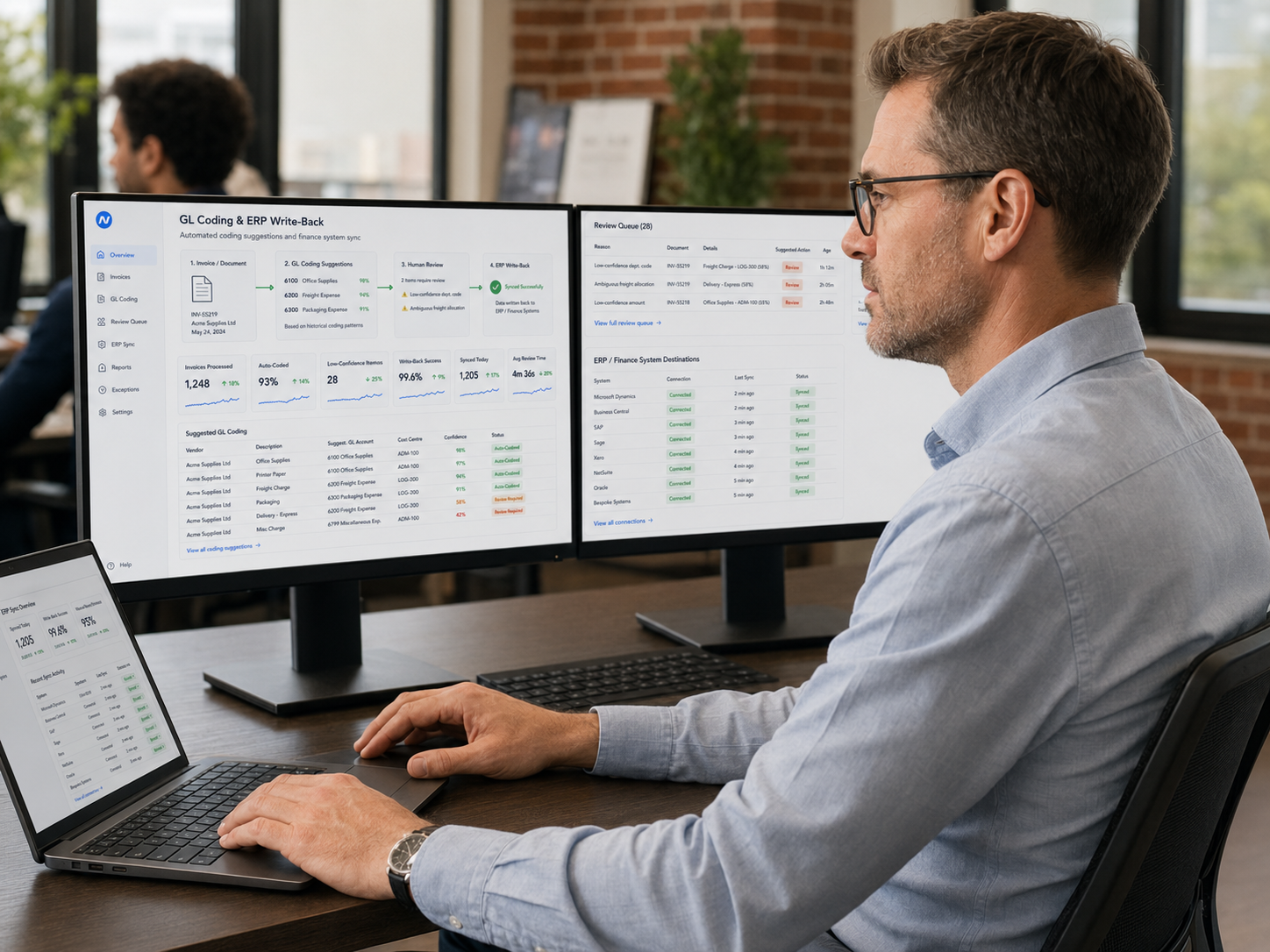
Coding each invoice to the correct account and cost centre is repetitive and error-prone by hand. Automation can suggest the coding based on the supplier, the purchase order and your historical patterns, with people confirming the cases the system is unsure about. Over time this produces more consistent coding and cleaner management reporting, with far less manual effort.
Supplier statement reconciliation
Reconciling supplier statements against your own ledger is one of the most valuable and most neglected accounts payable controls, because it surfaces missing invoices, unclaimed credits and duplicate payments before they cost you. It is also tedious to do by hand, which is exactly why it gets skipped. Automated supplier statement reconciliation matches statements against your ledger and flags only the discrepancies.
Payment and ERP write-back
Finally, the approved, coded and matched invoice needs to be paid and written back to your finance system of record cleanly, with no re-keying. This is where integration with your specific environment matters, and where off-the-shelf tools sometimes disappoint.
What impact can you expect from AP automation?
Realistic expectations matter, because we often speak with clients that have been promised the world by off-the-shelf tools, only to have projects fail. The benefits are compelling enough without exaggeration.
The clearest gains are in manual effort and processing time. When capture, matching, coding and reconciliation are largely automated, the people who used to do that work by hand are freed for higher-value tasks, and invoices move through the process in a fraction of the time. In a recent Discovery project for a company in the UK construction industry, the projected outcome was a 70+ per cent reduction in manual reconciliation effort, with the platform absorbing growth without a matching increase in headcount.
Beyond the headline numbers, the impact tends to show up as:
- Faster cycle times, which protect early-payment discounts and reduce late-payment penalties
- Fewer errors and fewer duplicate payments, which is money recovered directly
- The ability to scale invoice volume without scaling the team
- More timely visibility of liabilities and cash position, rather than a picture that is always weeks out of date
- Finance staff redeployed from data entry to higher value tasks
There is an important caveat in how you set your expectations, because the most common mistake is to expect perfection.
Aiming for 100% fully automated, hands-off accounts payable is often a huge task, one that might take a budget 10X what you would get an ROI from. There is almost always a proportion of invoices that require a human eye. The measure of a good solution is 1) ensuring those edge cases don’t break the entire system, and 2) using good product design and workflows so that, even when a human is needed, resolving the issue takes a fraction of the time the manual process would have demanded.
An example might be a confidence rating assigned to matching. When a confidence rating falls below a certain level, it can be routed to a review queue for a human review. The system can point the human to the exact line or word in the invoice or PO that needs review, with the tools to resolve it on screen, meaning that resolving the invoice might take a matter of seconds, compared to 15 minutes manually.
So a realistic goal might be “70% of invoices handled end to end with no human intervention, with the remaining 30 per cent resolved in roughly a tenth of the time the manual process would have taken.”
Reaching 90, 99 or even 100 per cent might be possible, but the cost climbs steeply, often by an order of magnitude or more, so the sweet spot is a system that dramatically cuts manual effort at a price that is still affordable.
What impact can you expect from AP automation?
There is a large ecosystem of accounts payable automation software, with varying levels of marketing claims. With the advent of AI, and the declining cost of custom software solutions, a bespoke system is also a now often viable option. It is worth setting the choice out clearly, because for many operations it is the decision that determines whether automation succeeds or not.
Off-the-shelf SaaS is often fast to deploy, requiring no development, usually low upfront costs, and for a business with standard processes and moderate volume, it can be a suitable solution. If your invoices are reasonably consistent, your matching is simple, and you run a single entity on a mainstream system, a good SaaS tool may serve you well.
The trade-offs appear as your operation gets larger and more complex. SaaS workflows are generic by design, so your team adapts to the tool rather than the other way round. Pricing tends to rise over time, through per-invoice fees, per-user licences and per-module add-ons that grow with the business. ERP integration is limited to what the vendor has built. And then there is the difficult twenty per cent: inconsistent supplier formats, complex multi-PO matching, multiple entities, and the edge cases that make your operation specifically yours, which is where one-size-fits-all tools tend to break.
We see this directly. In the Discovery project referenced above, the business had already tried two separate off-the-shelf invoice automation platforms before they came to us, and both had failed. Of more than a thousand suppliers, the previous tools had successfully onboarded just two, because they could not cope with the variety of supplier formats and, when a mismatch occurred, could not isolate the specific line or figure in dispute. Staff were forced into a full manual review even when the platform had read ninety-five per cent of the invoice correctly. The automation created almost as much work as it removed.
The alternative is software built around your actual workflows: configured to your matching rules, your approval hierarchies, your coding logic and your systems, owned outright with no licence fees and no vendor lock-in. The traditional objection to custom software is that it is slow and expensive to build. That objection is what our Cambrian BOP platform is designed to answer, and it is the subject of the next section.
Off-the-shelf SaaS is often the right answer for smaller operations with standard processes and low supplier complexity. Custom accounts payable automation is often the right answer for businesses with real volume, complex matching, multiple entities, or ambitions that reach beyond accounts payable. The table below sets out the trade-offs.
| SaaS / point solutions | Custom-built | |
|---|---|---|
| Ownership | ❌ You rent access; the vendor owns the platform | ✅ You own the platform, the data and the workflows |
| Cost over time | ❌ Licence and per-invoice fees that tend to rise sharply | ✅ Higher initial investment, then low and predictable ongoing cost |
| Workflow fit | ❌ Generic workflows; your team adapts to the tool | ✅ Built around how your team actually works |
| ERP integration | ❌ Limited to the vendor's pre-built connectors | ✅ Designed around your systems, current and future |
| Complex and multi-PO matching | ❌ Constrained to the vendor's matching engine | ✅ Configured to whatever your business requires |
| Multiple entities and currencies | ❌ Often a premium tier or a workaround | ✅ Can be designed in from the start |
| Supplier format variability | ❌ A frequent failure point at scale | ✅ Handled by a hybrid of AI and business logic |
| Adjacent finance automation | ❌ Usually a separate product or subscription | ✅ The same platform can extend to other workflows |
| Lock-in and exit | ❌ Migration risk and data-extraction friction | ✅ None; you own the system outright |
How custom AP automation can be delivered quickly
The assumption that custom software means a long, risky, blank-page build is reasonable, because that is how custom software was traditionally delivered. It is not how it has to work now.
The reason most bespoke projects are slow is that they rebuild the same foundations every time: the way data is ingested, the way AI extraction is orchestrated, the way approval workflows and security and ERP integration are handled. Those foundations are not where your competitive advantage lives, and they do not need to be reinvented for each project. Cambrian BOP, our enterprise AI and automation platform, provides them already built and proven in production, so a custom accounts payable solution is largely a matter of configuration and targeted customisation rather than engineering from scratch. That is what brings the speed close to off-the-shelf while keeping the fit and the ownership of bespoke.
Reliability at scale comes from the architecture. Rather than handing everything to an AI model or relying on rigid templates, the approach is hybrid: AI-driven extraction and intelligent document processing for the unstructured reading, structured business logic for the matching rules and tolerances, where you need precision and an audit trail rather than a model’s best guess, and human-in-the-loop review for the genuine exceptions. That combination is what handles the difficult cases that defeat pure-AI and pure-template tools.
It is also worth being clear about delivery risk. In over 10 years we have never failed to deliver a project. We can contractually guarantee yours will not be the first.
How to choose the right way to automate accounts payable
The right approach depends on your operation, and a few focussed questions will help you understand what the right solution might be. Some of these questions include:
- What is our invoice volume, and how fast is it growing? Higher and faster volume strengthens the case for automation and for an approach that scales without per-invoice costs.
- How consistent are our supplier invoice formats? High variability is a common reason off-the-shelf tools fail.
- How complex is our matching? Do we have things like multi-PO matching, partial deliveries and blanket orders?
- How many legal entities, currencies and languages do we operate across? Multi-entity complexity often sits in a premium tier or a workaround in off-the-shelf tools.
- What systems do we run, and are we migrating? A fragmented or changing ERP estate raises the value of an approach designed around integration rather than constrained by a fixed connector list.
- Do we have ambitions beyond accounts payable? If you can see expense management, supplier onboarding or payment automation on the horizon, a platform you own and extend is worth more than a single-purpose subscription.
- How expensive would the off-the-shelf tool be? If licence fees are going to run at tens of thousands a year, an owned solution might offer good savings.
The simpler and more standard your operation, the more an off-the-shelf tool makes sense; the more complex, high-volume, multi-entity or strategically ambitious it is, the more a custom approach repays the investment.
Getting started with accounts payable automation
The sensible first step is not a purchase, it is clarity. Before committing budget, it is worth understanding your own operation properly: your invoice volumes, your supplier mix, your matching complexity, your systems, and where the manual effort actually concentrates.
That is what our free Discovery service is for. It is a structured deep-dive into your accounts payable operation, run with your team, that produces a clear, prioritised plan and a real cost estimate before any commitment to build. You leave it knowing what should be automated first, what the likely impact is, and what the work would cost, whether you go on to build with us or not.
For organisations whose ambitions reach beyond accounts payable, it is also worth seeing how AP fits into a wider enterprise AI and automation platform approach, since the same foundations can extend to expense management, supplier onboarding and other finance workflows. When you are ready to compare a custom approach against your shortlist, our custom accounts payable automation services are a great place to start.